Open Note Scanner download for android 12.1 (Snow Cone v2)
APK file Open Note Scanner 1.0.36-gplay compatible with Android 12.1How to install APK / APKS / OBB file on Android
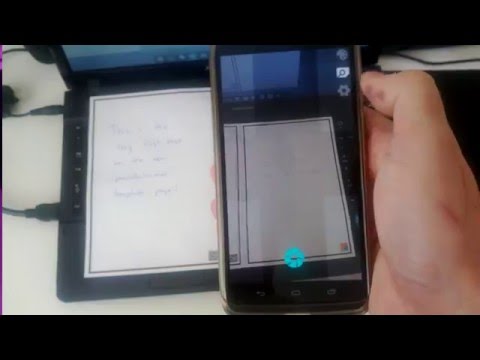

This little application provides a way on scanning handwritten notes and printed documents.
It automatically detect the edge of the paper over a contrastant surface.
If you have RocketBook Wave notebook or home printed pages it automatically detects the qrcode printed on the bottom right corner and scans the page immediately.
After the page is detected, it compensates any perspective from the image adjusting it to a 90 degree top view and saves it on a folder on the device.
It is also possible to launch the application from any other application that asks for a picture, just make sure that there is no default application associated with this action.
Can be also installed from F-Droid: https://goo.gl/WwB9gB
original source code and binary builds are available at: https://github.com/ctodobom/OpenNoteScanner
* PDF Export
* Turkish translation
* Persian translation
* Indonesian translation
- LicenseFree
- File nameOpen Note Scanner
- File Version1.0.36-gplay
- Package namecom.todobom.opennotescanner
- Size6.08 MB
- UploadedJuly 27, 2020
- Android5.0 or later
- CategoryProductivity
- DeveloperClaudemir Todo Bom
- Developer site
- Developer emailclaudemir@gmail.com
- md5 hashcf351875d03ba139c2f622963e8f8c22
- Architecture-
- Permissionsshow (6)